RAML KQL
Multi-tenantKQLOpen source
One KQL query across every tenant you work in.
Raml KQL is an open-source desktop app for macOS, Windows and Linux. It queries Log Analytics and Microsoft Sentinel workspaces across many Entra tenants through Azure Lighthouse and guest access, and returns one merged result. You do not need a Defender multi-tenant organization.
View on GitHubVersion 1.1.0
What it does
Built for the work between customers
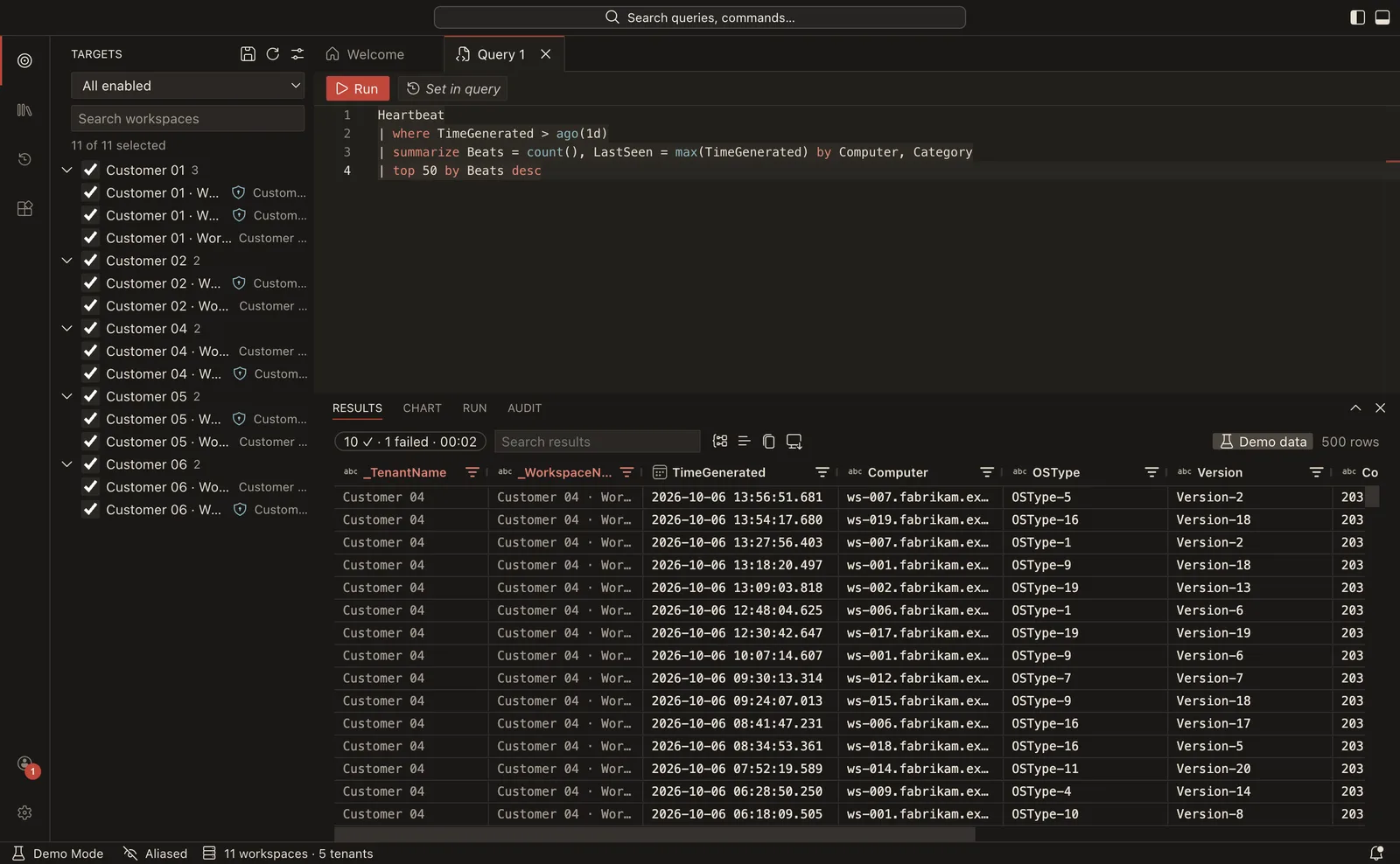
One query, every tenant
Pick workspaces and tenant groups, press Shift+Enter, and results arrive as each workspace finishes. Slow or throttled workspaces are retried and reported one by one, so they never hide the ones that worked. Every row carries _TenantName and _WorkspaceName.
An editor you already know
The layout, themes and keybindings follow VS Code. Under it sits the Monaco editor with the Kusto language service: IntelliSense merged across the selected workspaces, formatting, snippets, and parse checks before anything is sent.
Extensions with least privilege
Sandboxed extensions add enrichers, result renderers, themes and commands. Each permission is requested explicitly and can be revoked. The repository includes a VirusTotal enricher and a country map renderer as examples.
Shareable query packs
A pack is a folder of parameterised .kql files and a small manifest, shared through a git repository or a file. Packs are data only. They never run code, and no query runs until you press Run.
Who it is for
Analysts working across customer tenants without an MTO
If you work in a SOC or at an MSSP and reach customer workspaces through Azure Lighthouse or guest access, you often need to ask the same question of all of them. Defender’s multi-tenant advanced hunting does that when your organization has set up a multi-tenant organization (MTO). Raml KQL covers the case where it has not.
- Defender XDR
- Requires an MTO. Queries advanced hunting tables, in the Defender portal.
- Raml KQL
- Requires your own access to each workspace. Queries Log Analytics workspaces, including Sentinel, from a desktop app.
It is a tool for your toolbelt, not a replacement for either product. It only does what you are allowed to do, using your delegated permissions.
Download
Version 1.1.0
Released 6 October 2026
Every release lists a SHA256SUMS file. The macOS app is signed and notarized. The Windows installer is not code-signed yet, so SmartScreen shows a warning on first run: choose “More info”, then “Run anyway”. The app updates itself from GitHub Releases.
Quick start
From install to first result
Install and add an account
Open the Accounts menu in the activity bar and choose Add Account. Your browser opens for the Microsoft sign-in. Add more accounts the same way. You need the Log Analytics Reader role on each workspace you query. Consent and app registration
Check your targets
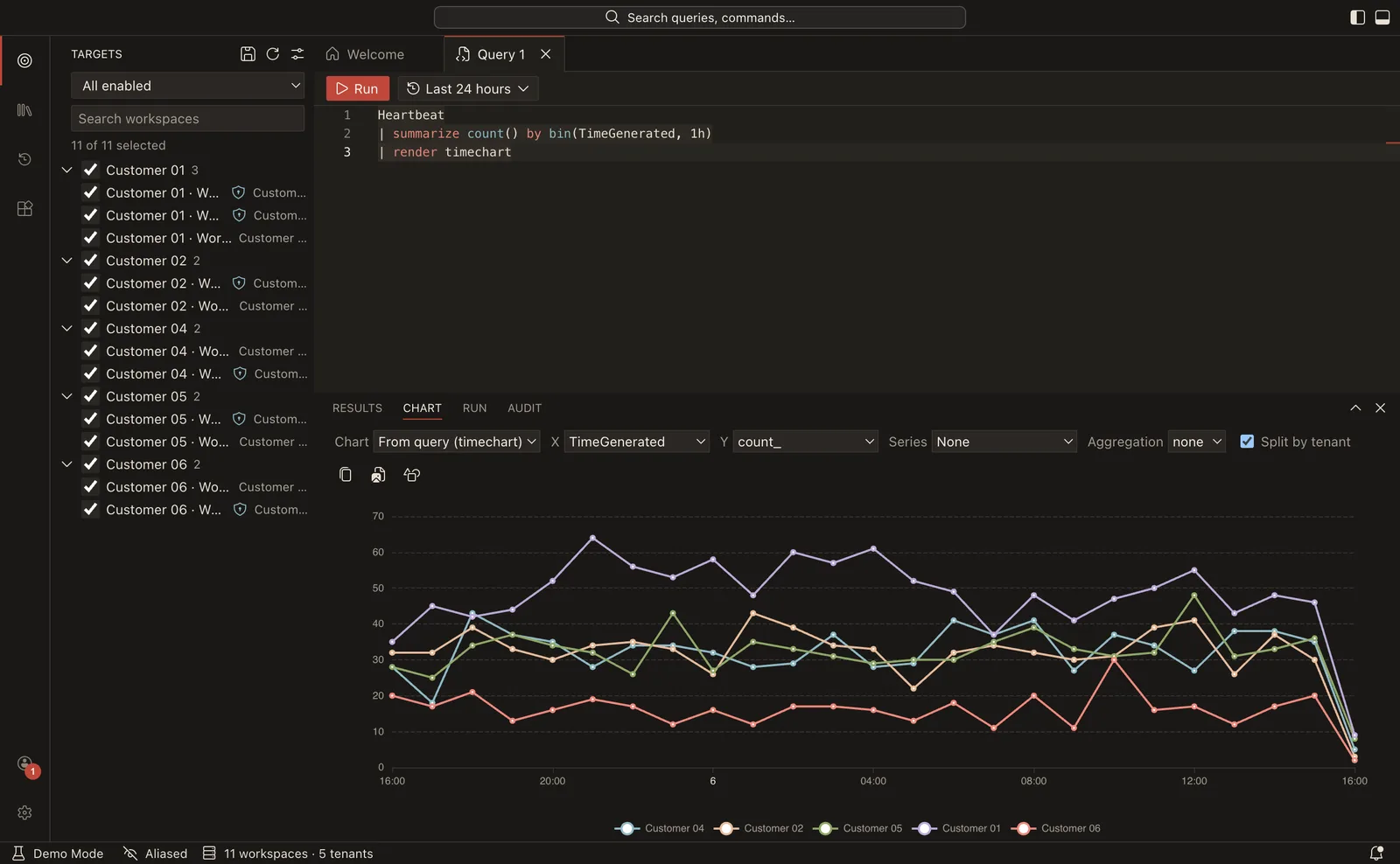
Workspaces from Lighthouse delegations and guest access appear in Targets, grouped by tenant. Disable the ones you never query, and make groups for the sets you use together.
Write and run
Press Ctrl/Cmd+N for a new query, choose a time range, and press Shift+Enter.
SigninLogs
| where TimeGenerated > ago(1d)
| where ResultType != 0
| summarize failures = count() by _TenantName, UserPrincipalName
| top 20 by failures
No Azure access at hand? Run “Restart in Demo Mode” from the Command Palette (F1) to try the app with fake tenants and data.
Open source
MIT licensed, no telemetry
Raml KQL is released under the MIT licence. It collects no usage data. Your queries go from your machine to Microsoft with your own identity, and no Raml KQL server is involved. You can check this yourself: Developer: Show Network Activity lists every host the app contacts.
Bug reports, ideas and pull requests are welcome. Read the contributing guide, then open an issue or start with the code on GitHub. To report a vulnerability, use the private reporting option under the repository’s Security tab.