Documentation
Raml KQL documentation
Run one KQL query against many Azure Log Analytics workspaces across tenants. Guides, reference and design documents.
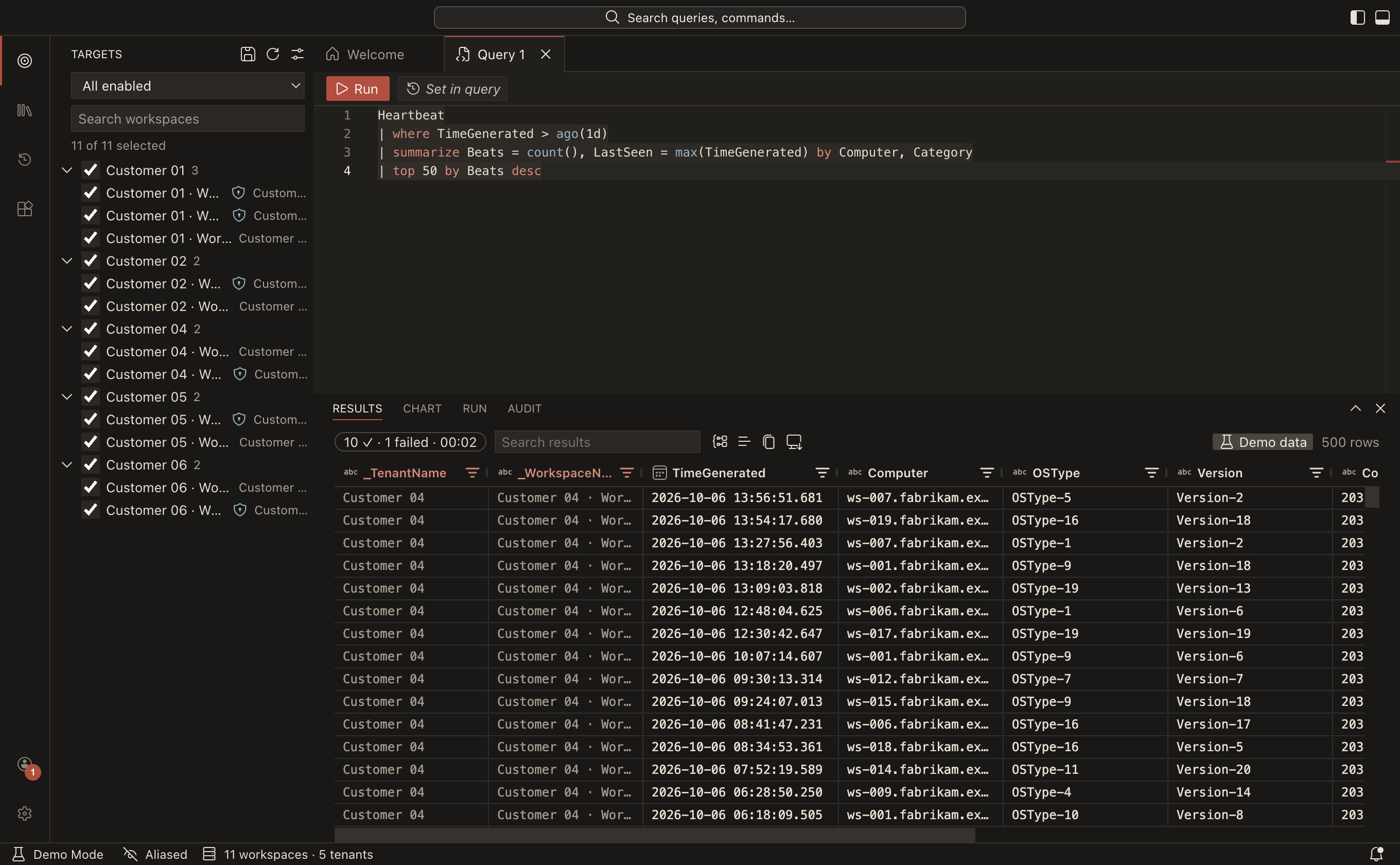
Raml KQL is a free, open-source desktop app for macOS, Windows and Linux. It runs one KQL query against many Azure Log Analytics workspaces at once, across many Entra tenants and many signed-in accounts, and returns one merged result with the tenant and workspace on every row. It looks and feels like VS Code.
Start here
- Getting started: install the app, sign in, run your first query, or try everything in demo mode without Azure access.
Using Raml KQL
| Guide | What you learn |
|---|---|
| Accounts and tenants | Signing in with several accounts, Lighthouse and guest access, re-authentication |
| Workspaces and targets | How workspaces are found, choosing what a query runs on, groups, aliased names |
| Writing and running queries | The editor, IntelliSense, the time range, what happens when workspaces fail |
| Working with results | The grid, group by tenant, charts, export, links to the portal and Defender |
| Saved queries, history and packs | My Queries, history, and shared query packs |
| Using extensions | Installing extensions and what their permissions mean |
| Privacy and security | What stays on your machine, the audit log, crash reports |
| Troubleshooting | Sign-in problems, missing workspaces, platform notes |
Reference
- Settings reference: every setting with its type and default.
- Keyboard shortcuts
- Configuration folder and files:
settings.jsonc,keybindings.jsoncand friends.
Extending and administering
- Writing extensions and writing query packs
- Registering your own Entra app for organizations that don't allow third-party app consent
Contributing
- Contributing guide and architecture overview
- Testing and CI and releasing
- Design documents: the detailed specifications and the decision log.
Privacy policy and terms of use. Raml KQL is MIT-licensed and not affiliated with, endorsed by or sponsored by Microsoft. Source code, releases and issues are on GitHub.